
 MX Channel System
 MX-R Roof Support
 Supports & Suspensions
 Fixings & Anchors
 Pipework Products
 Cable Containment
 Threaded Fasteners
 Screws & Rivets
 View all...
 Design, Engineering & Fabrication
 Fire Resistant Supports


MX channel sections
Browse MIDFIX MX channel sections by profile type, size and finish. The range includes slotted, plain and back-to-back profiles. Open the product record for each code to check its dimensions, options and data-sheet download. Match the selected section to the issued support detail and project requirements before ordering or installation.


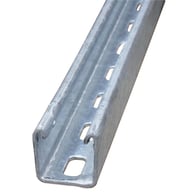
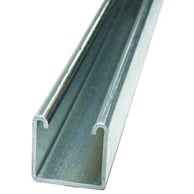
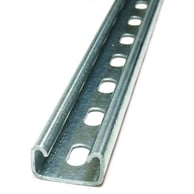
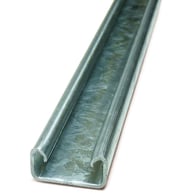
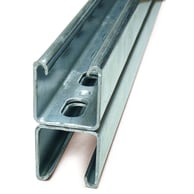

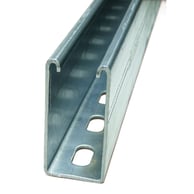
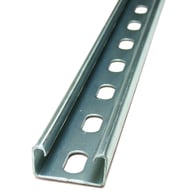
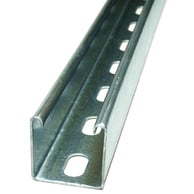

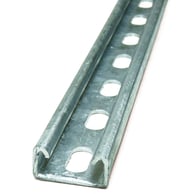

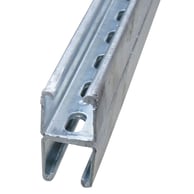
Choose the section shown on the design
Slotted and plain sections are distinct profiles. Back-to-back channel profiles are available as slotted or plain, with two channel profiles welded in a back-to-back configuration. Select the code and profile shown on the issued drawing or schedule. Each link below opens the matching product page, where you can check the product information, dimensions, options and data sheet for that item.
MX profiles and finishes
MX channel sections are available in these profile, size and finish combinations:
| Profile | Size | Finish | Product record |
|---|---|---|---|
| Slotted | 41 × 41 × 2.5 mm | Pre-galvanised | HS41 |
| Slotted | 41 × 41 × 2.5 mm | Hot dip galvanised | HS41G |
| Slotted | 41 × 21 × 2.5 mm | Pre-galvanised | HS21 |
| Slotted | 41 × 21 × 2.5 mm | Hot dip galvanised | HS21G |
| Slotted | 41 × 82 × 2.5 mm | Pre-galvanised | HS82 |
| Slotted | 41 × 21 × 1.5 mm | Pre-galvanised | LS21 |
| Slotted | 41 × 41 × 1.5 mm | Pre-galvanised | LS41 |
| Plain | 41 × 41 × 2.5 mm | Pre-galvanised | HP41 |
| Plain | 41 × 41 × 2.5 mm | Hot dip galvanised | HP41G |
| Plain | 41 × 21 × 2.5 mm | Pre-galvanised | HP21 |
| Back-to-back slotted | 41 × 41 × 2.5 mm | Pre-galvanised | HB41/S |
| Back-to-back slotted | 41 × 41 × 2.5 mm | Hot dip galvanised | HB41G/S |
| Back-to-back plain | 41 × 41 × 2.5 mm | Pre-galvanised | HB41/P |
| Back-to-back plain | 41 × 41 × 2.5 mm | Hot dip galvanised | HB41G/P |
For the four back-to-back items, match the selected code and size to the project drawing before ordering.
Check the product and support detail
Each product page includes the information and data-sheet download for that section. Check the exact code, stated dimensions, finish and selected length against the schedule. Use the product data for the named item; use the issued design and Handbook for the support as an assembly.
Before selecting, check the project information for:
- The load, span and support positions for the specified section.
- The profile and orientation shown on the drawing, matched to the exact product record.
- The brackets, channel nuts, fixings and connection details specified for the support. Browse MX channel brackets and MX channel nuts to open those product records.
- The supporting structure, substrate and fixing points addressed by the issued design.
- The installation method and site conditions stated for the selected products and support detail.
Read the MX Technical Handbook with the issued design and the relevant product data. Follow only the products, arrangements and installation conditions covered by those documents. Do not transfer a value from a different profile or connection. Resolve any mismatch with the responsible designer or MIDFIX before ordering or installation.
For wider system information, see the MIDFIX MX Tested Channel System. Use the MX Channel System range to browse the family categories. For installation learning, follow the MX channel system training route. To ask about a section or project selection, contact MIDFIX through the approved enquiry route with the product code and relevant drawing detail.